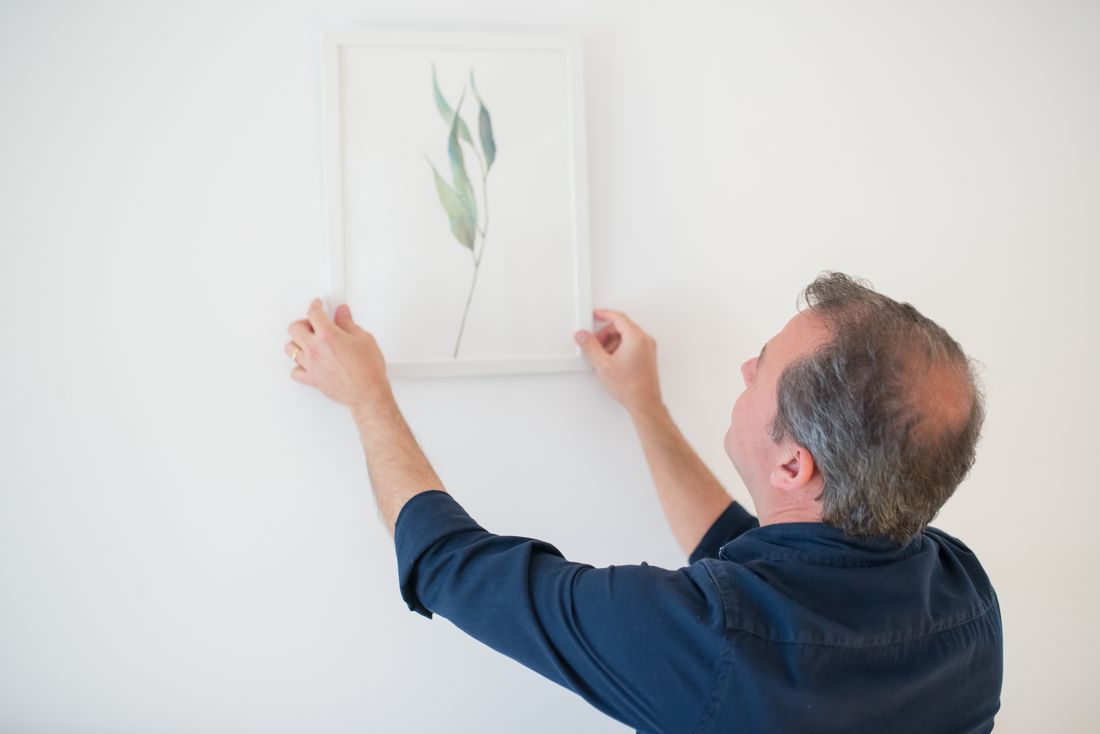
A monthly retainer can't be in the room every day, and the days it misses aren't quiet ones. A crate gets opened, a wall goes up, a visitor stops mid-sentence in front of a piece, and none of it gets caught unless someone already in the building points a phone at it. This is a plain guide to what gallery staff should shoot between visits, the phone settings that actually help, and the honest line for where a phone stops being enough.
Gallery staff should shoot four or five recurring moments between visits: crate openings, wall installs, unguarded visitor reactions, and pieces leaving the building, always in both horizontal and vertical. Save anything meant for print, sale, or insurance for the monthly visit, since accurate color and controlled light are where a phone still falls short.
What should gallery staff shoot between monthly visits?
Between professional visits, gallery staff get the best return from four or five specific moments: a crate coming open, a wall going up, an unguarded visitor reaction, and a piece leaving the building. Everything else is optional. A phone handles those moments fine. What it can't do is replace what the monthly visit actually builds, which is the polished, color-accurate archive.
The reason these four moments matter is timing, not skill. A retainer visit happens once a month, sometimes less. It cannot be in the room for an install that runs on a Tuesday afternoon, and it will never be present for the twenty seconds when a visitor stops mid-sentence in front of a piece. Those moments exist once. If nobody with a phone is standing there, the gallery loses them, not just for a month but permanently. Staff don't need training to catch them. They need permission to stop what they're doing for thirty seconds, point the phone, and get back to work. The habit matters more than the equipment. A gallery that captures these moments consistently gives the monthly retainer something real to build from, honest material from the days nobody else could see, instead of a folder that only fills up once a month.
This isn't asking anyone on staff to become a photographer. It's asking whoever is already standing there to notice the moment and press one button before it passes, then get back to the rest of the day. That's a much smaller ask than it sounds like, and it's the whole reason it actually works.
What moments will staff catch that a monthly visit never will?
The moments only staff can catch are tied to a specific day and hour: work coming out of a crate, a wall going up before a show, a visitor's unscripted reaction, and a piece leaving for a fair or a collector. A monthly visit can restage a room. It cannot restage a Tuesday afternoon.
Each of these carries its own use later. A crate opening shows condition at arrival, which matters if anything is ever questioned after the fact, and it makes an honest process clip for people who never see that side of gallery work. A wall going up, drywall dust and all, becomes the kind of behind-the-scenes footage a polished visit day never captures, because by the time the professional arrives the room is already finished. A visitor's reaction, the pause, the lean-in, the phone camera coming out on its own, is a genuine social moment that cannot be reconstructed after the fact. And the piece leaving the building closes a loop for whoever is watching that story, a buyer, a collector, an insurer, or just a follower who has been tracking the show. None of these four require planning. They require someone already in the room to notice the moment is happening and take ten seconds to record it before it passes.
Staff don't need to predict which of these four will matter most in a given month. Catching all four consistently, without overthinking which one deserves the most effort, is what makes the archive complete instead of lucky.
Which phone settings actually make a difference?
Two settings do most of the work: locking exposure by tapping and holding on the artwork before shooting, and turning off any beauty or portrait mode that softens detail or blurs edges. A third habit matters as much as a setting, which is shooting in the native camera app instead of a filtered one.
Tapping and holding locks both focus and exposure on the subject, which stops the phone from brightening a dark corner and blowing out the piece next to it, a common failure when a wall has mixed lighting. Portrait mode and beauty filters exist to flatter faces, and they do the opposite of what documentation needs: portrait mode blurs backgrounds and can soften the edge of a frame, and beauty filters shift skin tone and color balance in ways that make a visitor reaction look processed instead of real. Grid lines help too, mostly because a level horizon and a straight wall read as more intentional later, even in a quick clip. None of this requires a manual or a class. It's three taps before shooting: lock exposure, turn off the filters, turn on the grid. Staff who do those three things consistently produce noticeably more usable footage than staff who just open the camera and shoot.
One more habit worth building: wipe the lens with a sleeve before shooting. A smudge from a pocket is invisible on the small screen and obvious once the image is opened later on a real monitor, and it's the kind of mistake nobody notices until it's too late to reshoot.
Why shoot every moment horizontal and vertical?
Shooting both orientations of the same moment costs a few extra seconds and buys the gallery real flexibility: horizontal works for a website banner or a wrap-up video, vertical works for Instagram Stories, Reels, or a quick text to a curator. Picking only one orientation forces someone to crop later, and cropping almost always cuts something out.
This is the single highest-value habit in this whole approach, because it removes a decision that staff aren't in a position to make correctly in the moment. Nobody standing in a gallery mid-install knows whether that clip will end up on the website next month or in a Story tonight, and guessing wrong means reshooting something that no longer exists. Shooting both takes the guess out of it. A crate opening shot only vertical loses the wide context of the room when someone tries to use it horizontally later. A wall install shot only horizontal loses the immediacy that makes a vertical Reel feel like it's actually happening right now. The fix costs almost nothing: turn the phone, take the second shot, move on. Deleting an unused orientation later takes two seconds. Not having it when the retainer needs it costs the whole moment.
It's also the easiest of these habits to build into a routine, because it doesn't require judgment in the moment. Staff don't have to decide anything, just repeat the same two-shot motion every time, until it stops feeling like an extra step and starts feeling like part of taking the photo at all.
How should staff organize what they shoot?
A shared folder the monthly retainer can actually use needs three things: a consistent naming pattern with the date and a short description, one dumping location instead of scattered phones, and a habit of uploading the same day instead of saving footage up. Without those three, footage disappears into someone's camera roll and never resurfaces.
The naming pattern doesn't need to be clever. A date followed by a few words, something like a short date and "crate-opening" or "wall-install-main-room," is enough for anyone to scan the folder and know what they're looking at without opening every file. The single location matters more than the naming, because footage split across two or three staff phones is functionally lost even if it technically exists somewhere. One shared cloud folder that both staff and the monthly visitor can reach solves that. Same-day uploading matters because phones fill up, get replaced, and get handed to new hires, and footage that lives only on one device for a month is one lost phone away from gone. Keep the folder flat rather than nested in subfolders inside subfolders. A flat folder with clear filenames is faster to search than a tidy-looking structure nobody actually uses.
It also helps to keep the folder strictly for these moments, separate from personal photos or unrelated gallery admin files. A folder that mixes both slows down the monthly visit, who has to sort real footage from clutter instead of building from what's already there.
When should staff put the phone down and wait?
Staff should stop and wait for the professional visit whenever the shot needs to hold up on its own: a hero image for the website, anything meant for print, or a piece that's being sold or insured. Phone footage supporting a caption is fine. Phone footage carrying the entire message by itself usually isn't.
The test is simple: what is this image actually going to do? A clip that shows a visitor's reaction next to three sentences of caption is doing its job, because the words carry the meaning and the footage just proves it happened. A single image meant to represent a piece on the website, in a press kit, or in an appraisal file is a different situation entirely, since nothing else is there to compensate for color or clarity that's slightly off. The same logic applies to anything headed to print. A phone image that looks fine on a screen can fall apart at a larger printed size in ways that aren't visible until it's already on paper. When in doubt, staff should shoot the phone version anyway, since it costs nothing and might be useful for internal reference, but flag it as a placeholder rather than a final asset, and let the monthly visit produce the version that actually needs to hold up.
The same caution applies to anything going into a catalog, a grant application, or a press packet, where a slightly off frame reads as unfinished rather than casual. Those are the moments worth waiting for, even if waiting means the image doesn't exist until next month.
What can a phone genuinely not do?
A phone struggles with three specific things: accurate color on artwork, since most phone cameras auto-correct color in ways that shift a painting's actual palette; low light, where phones compensate with visible noise, smoothing, or motion blur; and anything that will be printed larger than a phone screen. None of that is a knock on staff. It's a hardware limit.
Color is the one that causes the most trouble later, because it's invisible on the phone itself. A photo can look accurate on the small, backlit screen that took it and still be visibly off once it's opened on a calibrated monitor or sent to a printer, and by then nobody remembers what the actual color looked like in the room. Low light compounds the same problem: most gallery spaces are dimmer than a phone camera wants, and the automatic fixes a phone applies (brightening, smoothing, stabilizing) all cost real detail, even when the result looks acceptable in the moment. And anything meant for print exposes resolution and color limits that never show up on a screen. None of this means staff shouldn't shoot. It means the honest use for phone footage is documentation and social content, not the final museum-grade or insurance-grade image, and that's exactly the gap a monthly professional visit exists to close.
The same limits show up with reflective or heavily textured surfaces, glass, resin, or heavy impasto paint, where a phone's automatic processing tends to flatten detail that a controlled setup would actually preserve. It's worth knowing that gap exists, not working around it with more phone photos.
How does this fit into a monthly media retainer?
A monthly retainer works best as a division of labor, not a replacement: staff catch the moments that happen between visits, and the monthly visit turns the good ones into finished material while adding what a phone can't, accurate color, controlled light, and anything meant for print. Neither side does the whole job alone.
This only works if the two sides actually talk to each other. Staff footage sitting in a shared folder gives the monthly visit a head start: instead of guessing what happened since the last visit, the visit can open the folder, see the crate opening and the install clips, and know exactly which moments are worth building into finished content and which were already fully captured by the phone. In the other direction, the monthly visit's finished images give staff a working sense of what a photo needs to accomplish, which makes their in-between shooting sharper over time. A gallery that treats these as two separate, disconnected efforts ends up with a folder of random phone clips and a separate set of polished images that never talk to each other. A gallery that treats them as one system, staff catching the unrepeatable moments and the retainer finishing the ones that need it, gets more usable content out of the same month without asking anyone to do work they aren't equipped for.
That's the actual value of the retainer: not replacing what staff can already do standing in the room, but finishing what they can't.
Frequently asked questions
Do gallery staff need a good phone to make this work?
No. A phone from the last few years handles these moments fine, since the goal is documentation, not a finished hero image. What matters more than the phone model is locking exposure before shooting, keeping the native camera app instead of a filtered one, and pausing long enough to actually take the shot instead of skipping it because nobody feels like the photographer that day. The habit outperforms the hardware every time.
Should staff use a tripod or gimbal for these shots?
Not necessary. These moments are quick and unplanned, and stopping to set up a tripod usually means missing the shot entirely. A steady two-handed grip with elbows tucked in is enough for documentation footage. Save the tripod thinking for the monthly visit, where a controlled setup is worth the extra minutes. Between visits, speed matters more than stability, and a slightly imperfect frame beats a well-framed shot taken five minutes too late.
What happens if staff forget to shoot something for a few weeks?
Nothing breaks. A missed week or two doesn't undo the retainer, since the professional visit still covers the planned, polished content regardless of what staff caught in between. The only loss is the specific in-between moments that passed, not the whole month's content. Treat it as a habit to rebuild rather than a failure to explain, and just pick it back up with the next crate opening or install.
Can staff shoot the final artwork detail images themselves?
It's better not to rely on staff for final detail shots meant for insurance, sale, or print, since those need controlled color and light a phone can't reliably deliver. Staff can absolutely shoot a quick reference photo of a piece for internal use or a caption. The line is what the image needs to do: a caption tolerates a phone shot, an appraisal or a print file usually doesn't.
How much phone footage should staff actually send each month?
There's no fixed quota, and chasing one usually produces filler nobody uses. A handful of genuinely useful clips, a crate opening, an install, a visitor reaction, a piece leaving, beats a folder of twenty repetitive phone photos. The real measure is whether the monthly visit can open the shared folder and immediately find something worth building into finished content, not how many files are sitting inside it.
Give the quiet month something to say.
We help galleries build content out of the ordinary weeks too, pulling from the archive, planning ahead, and keeping the feed honest between openings.
Explore monthly media →