
A body of work rarely stays still. Pieces get reworked, restored, reframed, or re-editioned long after they were first photographed, and the documentation file made on day one doesn't update itself when that happens. This is a discipline problem, not a scheduling one. The question isn't when the next fair or insurance renewal falls, but whether the images on file still match the piece as it exists right now. Here's how to date and version documentation so an old state and a new state never get confused, and what happens when they do.
A documentation file is accurate for exactly as long as the piece stays in the state it was in when it was photographed, not one day longer. Once a piece is reworked, restored, reframed, or re-editioned, the existing file quietly stops matching the work, whether or not anyone notices. Dating files honestly, versioning them instead of overwriting them, and re-shooting when a real change happens is what keeps a body of work's documentation trustworthy as the work itself keeps evolving.
Why Does a Documentation Date Matter Once a Piece Is "Done"?
A documentation date is not a formality on a file. It's the only thing that tells anyone looking at the images later whether they match the piece as it exists right now. A photograph taken in 2019 of a painting reworked in 2023 is a picture of a piece that no longer exists.
Most artists think of documentation as a single milestone: the piece gets finished, the piece gets photographed, the file goes in a folder, and the job is done. That's true the day the shutter clicks. It stops being true the moment the piece itself changes (a reframe, a restoration, a repaint, a different edition state) and nobody updates the record to say so.
The date on a documentation file is what separates a photograph from a fact. Without it, a viewer has no way to know if they're looking at the piece as it is now or the piece as it was at some earlier, undated point in its life. A stale date doesn't just make a file less useful. It makes the file actively misleading, because it looks current even when it isn't.
This becomes a real problem the moment documentation gets used for something beyond internal reference (a submission, a sale conversation, an insurance file, a catalogue entry). Anyone downstream is trusting the date as much as the image. Getting the date right, and updating it honestly when the piece changes, is what keeps that trust intact.
What Counts as a Piece "Changing" After It's Documented?
A piece counts as changed for documentation purposes whenever its physical state or edition status is different from what the existing files show (reworked passages, a new frame or mount, restoration or conservation treatment, a shift in an edition's release state, or a change in scale from trimming or reformatting).
Some of these are obvious. A painting that gets reworked months after the first shoot is visibly different (different marks, different color, sometimes a different composition entirely). Others are easy to miss. Reframing changes the visible edges of a piece and can shift how color reads under gallery light. Conservation work can shift surface texture and sheen even when the image underneath looks unchanged to the eye. Re-editioning (releasing a second state of a print, or adjusting an edition size after a run) changes what the documentation is supposed to represent, even if the object photographed didn't move.
The test isn't whether the change looks dramatic. It's whether someone comparing the file to the current piece would notice a difference, or would be misled by treating the file as current. A trimmed edge, a new mat, a conservator's touch-up to a corner. Small on their own, but each one is a point where the existing file and the actual object start to diverge. Once that gap opens, the documentation isn't wrong on purpose. It's just describing a piece that used to exist in that exact state, and doesn't anymore.
When Should a Piece Actually Get Re-documented?
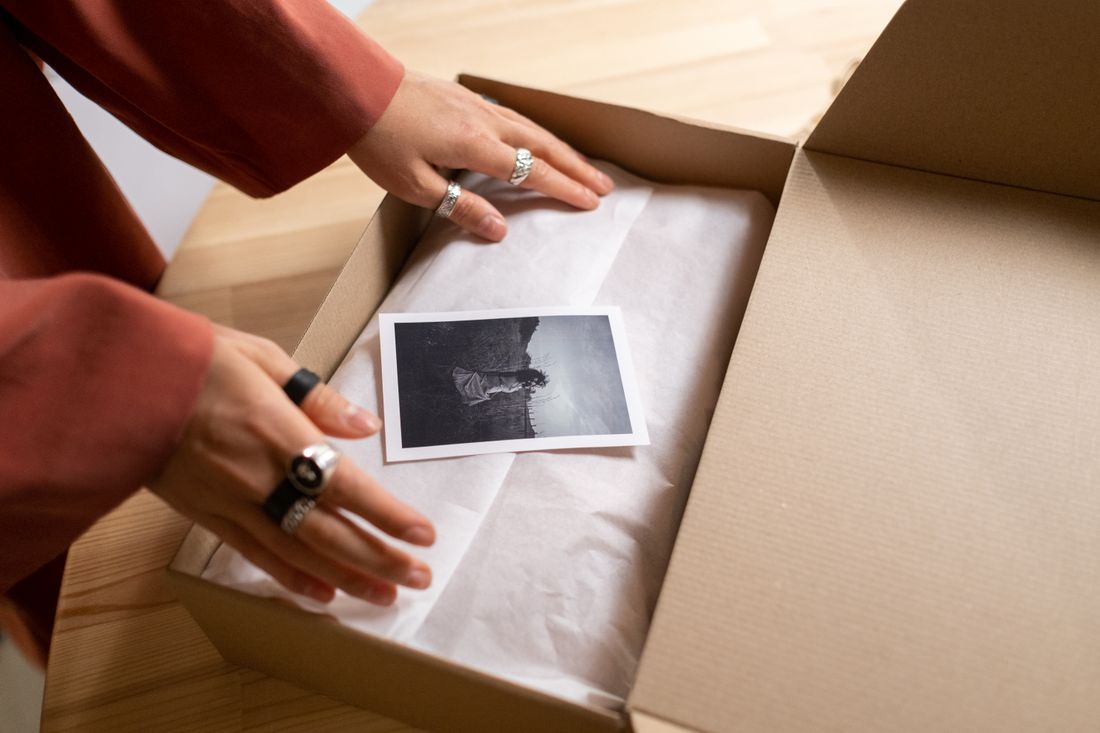
A piece is due for re-documentation as soon as a real physical or edition-state change happens, not on a fixed schedule. The trigger is the change itself: a completed rework, a restoration finishing, a reframe, or a new edition state going live, not a calendar reminder.
This is different from a scheduling problem. A fair deadline or an insurance renewal date can be a useful prompt to check whether documentation is current, but the actual trigger for re-documenting is always the work, not the date on the calendar. A piece that hasn't changed in five years doesn't need new documentation just because five years passed. A piece that changed last month does, even if nothing external is asking for it yet.
In practice, the clearest signals are physical: the piece has been reworked, repaired, reframed, remounted, or resized since the last shoot. Edition-state signals matter too (a print run that's been extended, a state that's been retired, a numbering scheme that changed). The quieter trigger is intent: a piece that's being prepared for a submission, a sale, or a catalogue entry is worth checking against its most recent documentation before it goes out, even if nothing about the piece itself has visibly changed, simply because it closes the loop on whether the existing file is still accurate.
Waiting until someone asks for current files is the riskiest version of this. By then, the piece may already have moved past what the last documentation shows, and there's no time to catch the gap before it matters.
How Should Files Be Dated and Versioned So Old and New Don't Get Confused?
Files should carry the shoot date in both the filename and the metadata, and a new documentation pass should create a new version rather than overwrite the old one, so a piece's history stays traceable instead of collapsing into one unlabeled "current" file.
A simple, consistent convention does most of the work: piece identifier, then a date in a sortable format (year, month, day), then a version note when relevant (original, reworked, restored). That naming pattern means anyone opening a folder can tell at a glance which file is the most recent without opening each one to compare. The same date belongs in the file's embedded metadata, not only the filename, since filenames get renamed, copied, and stripped as files move between drives and platforms, but embedded metadata tends to travel with the file.
Overwriting an old file with a new shoot destroys the record of what the piece looked like before the change, which matters more than it seems. A conservator, an appraiser, or the artist's own future self may need to see the piece's earlier state, whether to document a restoration's effect or simply to understand the work's history. Keeping both versions, clearly dated and clearly labeled, turns documentation into a timeline instead of a single snapshot that quietly replaces itself. The discipline is small, a folder structure and a naming habit, but it's the difference between a usable archive and a pile of similarly named files nobody can date with confidence.
What Happens When an Outdated File Gets Used After the Work Has Moved On?
An outdated file used for a submission or a sale after the piece has changed creates a mismatch between what a juror, buyer, or appraiser sees and what actually exists, and that mismatch becomes someone else's problem to untangle, usually at the least convenient moment.
A juror reviewing an outdated image might accept or reject a piece based on a state that no longer exists (a composition that's since been reworked, a scale that's since changed, an edition that's since been retired). If the piece is selected and then arrives looking different from its file, that gap reads as a credibility problem, even though the documentation itself wasn't dishonest when it was made. It just wasn't updated.
The same risk shows up in a sale. A collector or advisor comparing a listing image to the piece in front of them expects the two to match. When they don't, the seller is the one explaining the difference, not the buyer, and that conversation is harder after the fact than a quick re-shoot would have been beforehand. Insurance carries its own version of this problem: a claim built on outdated condition photos can complicate a settlement if the piece's actual condition has since changed, restored or otherwise.
None of this requires bad intent. It usually just means nobody checked the date before sending the file. That's exactly why the date matters as much as the image. It's the flag that should stop an outdated file from going out the door in the first place, if someone actually looks at it before hitting send.
Why Isn't "Documented Once" the Same as "Documented Accurately, Forever"?
Documentation is a record of a moment, not a permanent certification of a piece. It's accurate for exactly as long as the piece stays in the state it was in when the camera clicked, and not one day longer than that.
It's easy to treat a documentation file the way people treat a birth certificate (something established once, filed away, and trusted indefinitely). Artwork doesn't behave that way. Bodies of work get reworked, restored, reframed, and re-editioned for as long as they exist, and each of those changes quietly moves the piece away from whatever the last documentation showed.
The mistake isn't in documenting a piece once. It's in assuming that single act covers the piece for the rest of its life. A file that was completely accurate the day it was made can become quietly wrong a year later without anyone doing anything careless. The piece simply moved and the record didn't move with it. That's not a flaw in how the original documentation was done. It's just what happens when a static file meets a piece of art that keeps evolving.
The practical shift is treating documentation as an ongoing relationship with a piece rather than a one-time task to check off. Every meaningful change to the work is an invitation to ask whether the existing files still describe it honestly. Most of the time, the answer is yes, and nothing needs to happen. But the question is worth asking each time, rather than assuming the answer is always yes because it used to be.
How Is This Different From a Scheduling Problem Like Fairs or Insurance Renewals?
This is a discipline about tracking a piece's own changes, not a calendar problem. An insurance renewal or a fair deadline can prompt someone to check documentation, but the actual reason to re-shoot is always something that happened to the work itself, not a date arriving on the calendar.
It's worth separating these two things clearly, because they get conflated often. An external deadline (an insurance policy coming up for renewal, an open call closing, a fair application due) is a scheduling problem. It has a fixed date, it's the same for everyone, and missing it has an obvious, immediate consequence. Managing those dates is a calendar exercise: know when they're coming, plan around them.
Re-documenting a changed piece is a different kind of problem entirely. There's no external clock running. The only thing that determines whether a piece needs new documentation is what's happened to the piece itself since the last shoot. A piece could sit untouched for a decade and never need re-documentation. Another piece could change twice in six months and need it twice in that same window. Calendar-based systems can't catch that, because the trigger isn't time passing, it's the work changing.
Where the two connect is at the moment an external deadline arrives. A fair submission or an insurance renewal is a natural checkpoint to ask whether the documentation on file still matches the piece. But the checkpoint doesn't create the need. It just surfaces whether the need was already there and nobody had noticed yet.
What's a Practical Habit for Staying on Top of This?
The simplest habit is a short, running change log per piece (a line noting the date and nature of any physical or edition-state change, checked against existing documentation the moment the change happens), rather than trying to remember or reconstruct it later when someone actually asks for current files.
The habit only works if it happens close to the change, not months later. A conservator finishes a treatment, a piece comes back from reframing, an edition state changes. That's the moment to jot it down, not the moment a fair deadline forces a scramble through old files trying to remember what's changed since the last shoot. A running log doesn't need to be elaborate. A spreadsheet row or a note in a piece's folder with a date and a one-line description is enough to flag, later, whether documentation needs to catch up.
The second half of the habit is treating a documentation date as something to actually read, not just something that exists in a file's metadata. Before sending a file out for a submission, a sale, or an appraisal, checking the date against the change log takes a minute and catches the gap before it becomes someone else's problem. It's a small habit, but it's the one that keeps a body of work's documentation honest as the work itself keeps moving, rather than letting the archive quietly fall behind the art.
Frequently asked questions
How often should artwork documentation be updated?
There's no fixed interval. Documentation should be updated whenever a piece's physical state or edition status genuinely changes, not on a set schedule. A piece that's reworked, restored, reframed, or re-editioned needs new documentation reflecting that change. A piece that hasn't changed in years doesn't need updating just because time has passed. The trigger is always the work itself, not a calendar date, though an outside deadline can be a useful prompt to check.
Does a small change to a piece really require re-documentation?
It depends on whether the change is visible or structural rather than how small it feels. A trimmed edge, a new frame, or a conservator's touch-up can each shift how the piece reads even when the underlying image looks similar. The test is whether someone comparing the file to the current piece would notice a difference. If yes, it's worth a new shoot; if the change is truly cosmetic and invisible, the existing file usually still holds.
What's the best way to date and label documentation files?
Put a sortable date (year, month, day) in both the filename and the file's embedded metadata, plus a short version note (original, reworked, restored) when a piece has more than one documented state. Keep older versions instead of overwriting them, since a piece's earlier state is often useful later, whether for a conservator, an appraiser, or the artist's own reference. Consistent naming lets anyone open a folder and tell which file is current without guessing.
What's the risk of using an old documentation file for a sale or submission?
An outdated file can show a piece as it used to be, not as it is now (a different composition, scale, or edition state). If a buyer, juror, or appraiser notices the piece doesn't match its file, that gap becomes a credibility problem the seller has to explain after the fact. Checking the file's date against the piece's actual current state before sending it out catches the mismatch before it reaches someone else.
Is this the same discipline as tracking insurance renewals or fair deadlines?
No. Renewal dates and fair deadlines are external, calendar-driven schedules. Everyone faces the same date, and missing it has an obvious consequence. Re-documentation is triggered by what's happened to the piece itself, not by a date arriving. A piece can go years without needing new documentation, or need it twice in one season, depending entirely on how much it's changed. An external deadline is just a useful moment to check, not the actual reason to re-shoot.
Give your collection a record that holds up.
We document artwork the way an adjuster or appraiser would actually want to see it: full views, accurate color, condition detail, and a system that keeps every file tied to the right record.
Explore artwork documentation →